Broadcast Grade Color Scopes in Phoenix LiveView
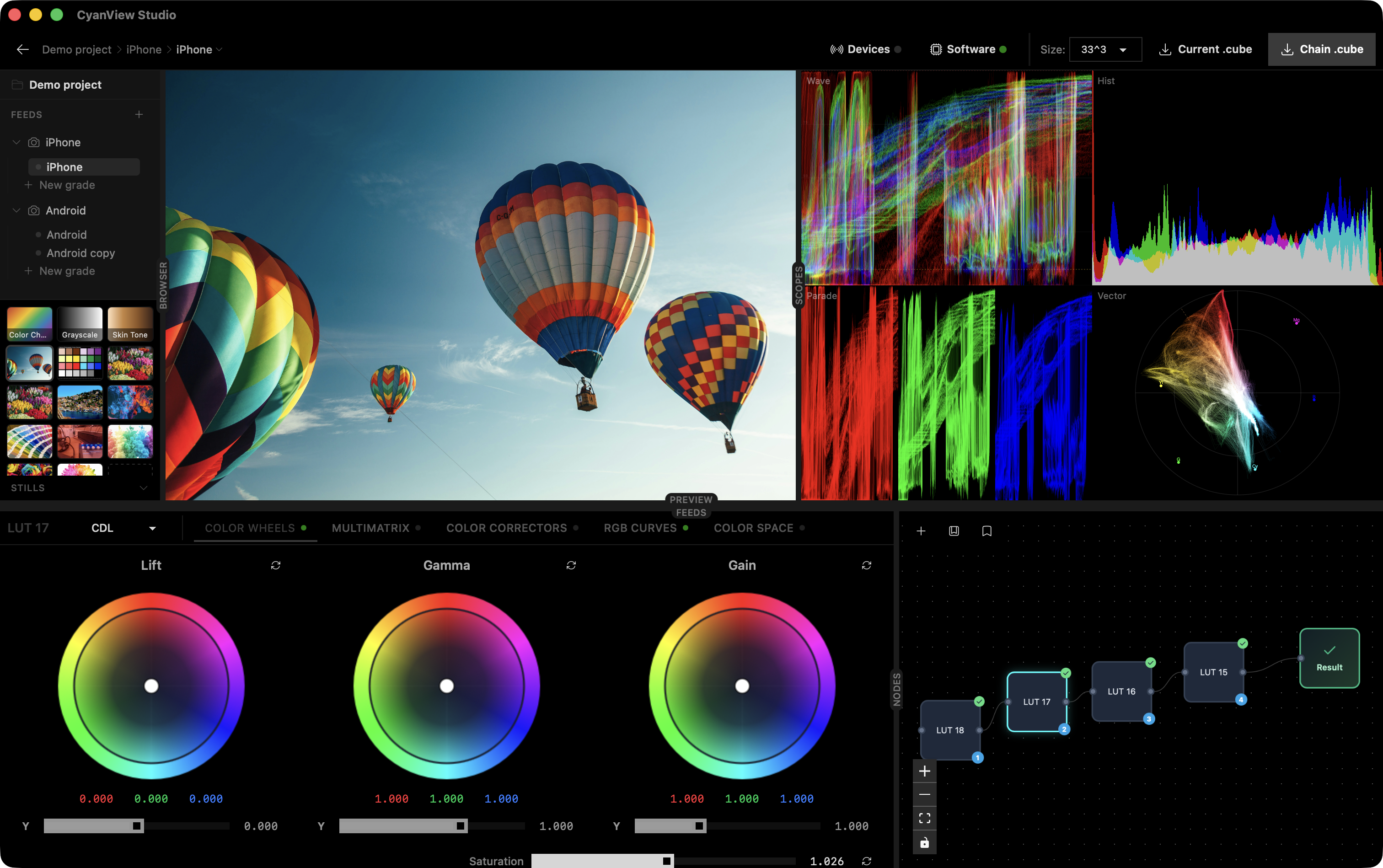
Broadcast grade color scopes, inside a LiveView
A few months ago we needed real video scopes inside our Phoenix app. Not toy histograms. The actual four you see in DaVinci Resolve, Baselight, Nuke: waveform, RGB parade, vectorscope, histogram. Colorists grade with these. If yours are off, people stop trusting the tool within about ten seconds.
I looked at the ticket and thought, “ok, this is where we finally bolt on a separate frontend”. Turns out no. A LiveView hook and about 900 lines of WebGL later, the scopes were running at 30 fps next to the grading controls, and the Elixir side was basically asleep.
This post is about how that went, and why I keep finding the Phoenix stack stretches further than people expect.
Why scopes in the first place
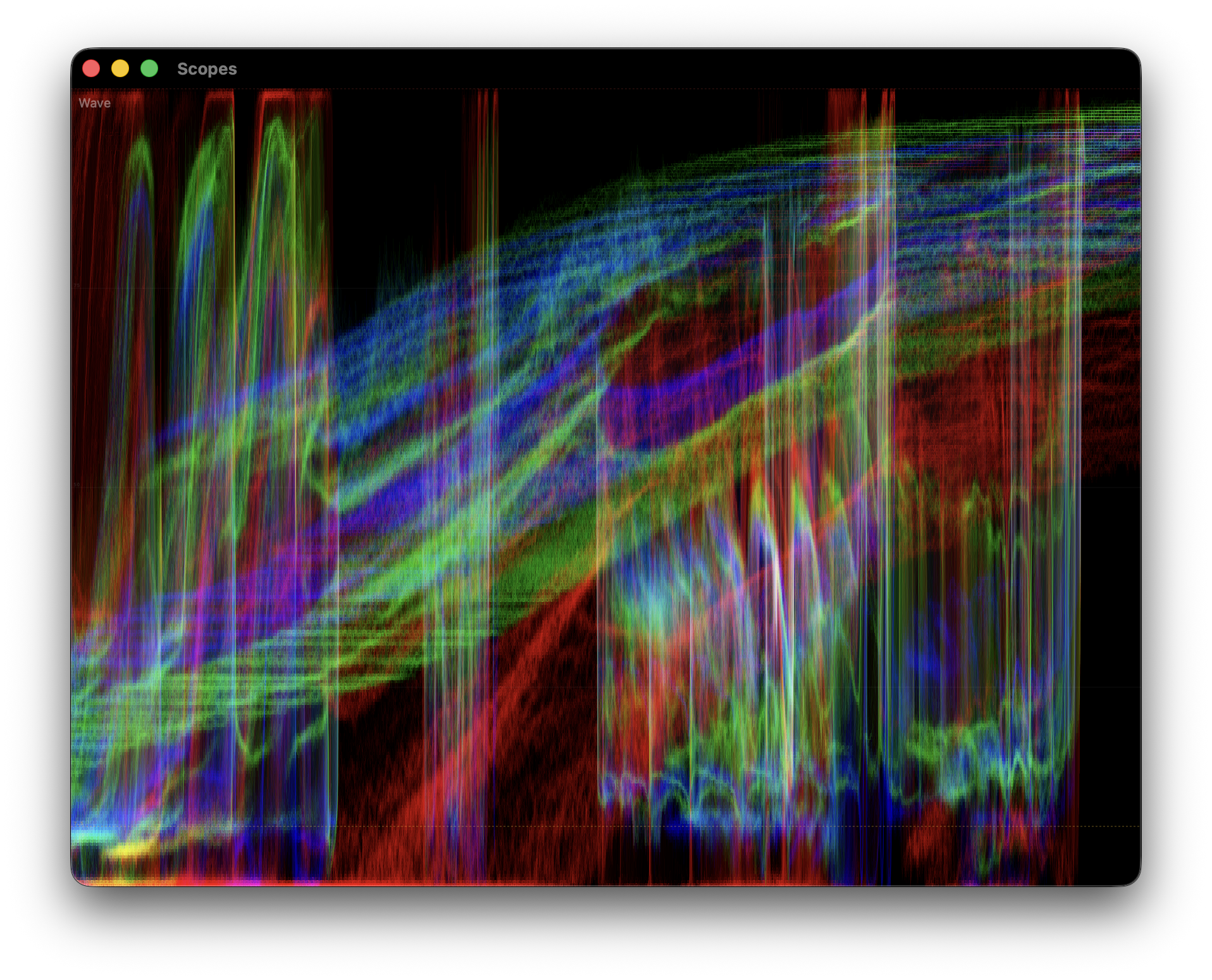
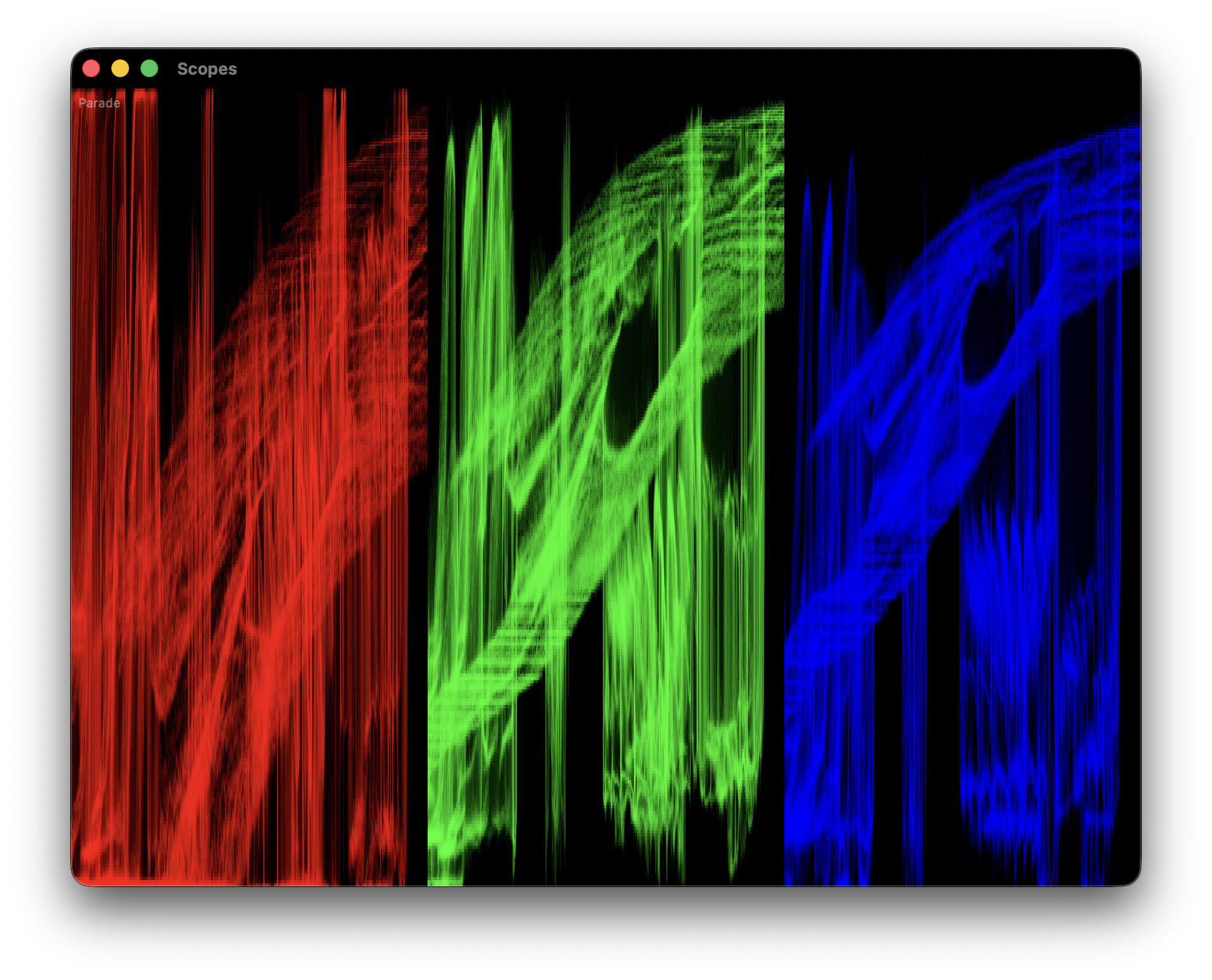
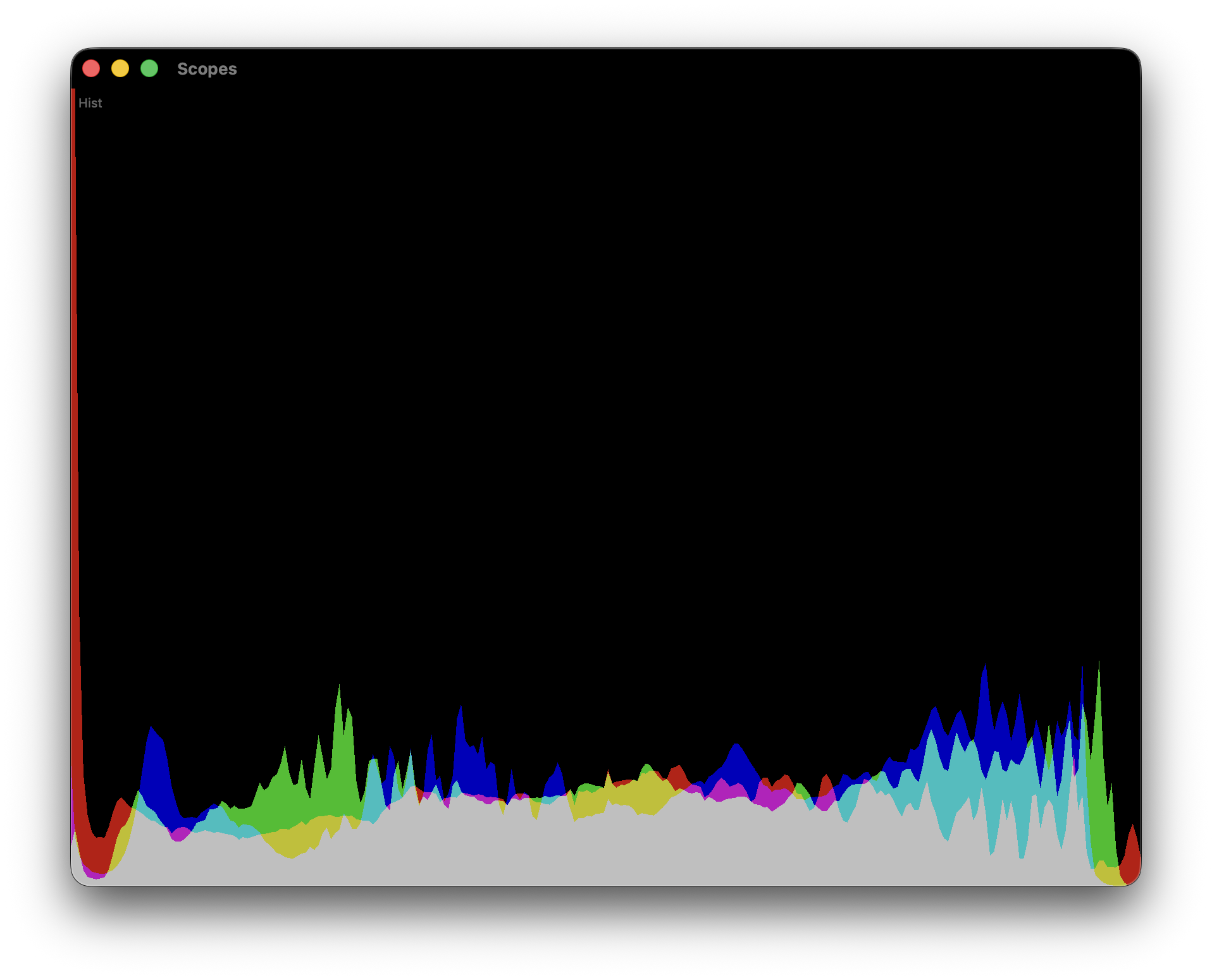
If you have never seen one: waveform shows per column luminance. Parade splits R, G and B side by side. Vectorscope plots chroma on a hue/saturation wheel. Histogram counts pixels per intensity bin. Together they tell you whether your image is actually blue or just vibes.
For us they sit next to the LUT preview. The server renders a preview frame through the current grading chain, pushes it to a <canvas>, and the scopes read from that canvas. That is the full contract between Elixir and WebGL: one canvas in, four scopes out.
Why LiveView was a fine host
People reach for React the moment WebGL shows up. I get why, I have done it. But a LiveView hook is a perfectly normal place to own a canvas. You get a real DOM node with mounted, updated, destroyed. You get pushEvent / handleEvent for the cheap messages (save alpha, switch scope mode, change resolution). And the rest of the app is still rendered by Phoenix, so there is no dual state to babysit.
The heavy work, pixel reading, WebGL programs, shaders, FBO management, all stays on the client. Elixir never sees a pixel. It owns the preview pipeline and persists a handful of user settings.
The hook in one screen
const VideoScopes = {
  mounted() {
    this.engines = [];
    this._sourceCanvas = document.querySelector("#lut-preview canvas");

    for (const type of ["waveform", "histogram", "parade", "vectorscope"]) {
      const canvas = this.el.querySelector(`#scope-${type}`);
      const engine = new ScopeEngine(canvas, this._sourceCanvas);
      engine.setScope(type);
      this.engines.push(engine);
    }

    this._running = true;
    this._tick();
  },

  _tick() {
    if (!this._running) return;
    if (performance.now() - this._lastFrameTime >= 50) {
      this._lastFrameTime = performance.now();
      this._renderAll();
    }
    requestAnimationFrame(() => this._tick());
  },
  // ...
}
Four scopes, one requestAnimationFrame loop, one source canvas. No store, no reducer, no context. The hook owns the engines, the engines own their WebGL.
One pixel read, four renders
The single biggest perf trap here is getImageData. It forces a GPU to CPU sync. Call it four times per frame, once per scope, and you will never hit 30 fps on a laptop. So read the source once, pass the same Uint8Array to every engine.
_renderAll() {
  const src = this._sourceCanvas;
  let w = src.width, h = src.height;

  if (this._scopeMaxRes && Math.max(w, h) > this._scopeMaxRes) {
    const scale = this._scopeMaxRes / Math.max(w, h);
    w = Math.round(w * scale);
    h = Math.round(h * scale);
  }

  this._readCtx.drawImage(src, 0, 0, w, h);
  const pixels = new Uint8Array(
    this._readCtx.getImageData(0, 0, w, h).data.buffer
  );

  for (const engine of this.engines) {
    engine.uploadPixels(w, h, pixels);
  }
}
The 480 px default is deliberate. At 480x270 a waveform already looks continuous because adjacent columns blur together at real panel sizes. Native res is there for people who want it, in practice it mostly costs battery.
What the GPU actually does
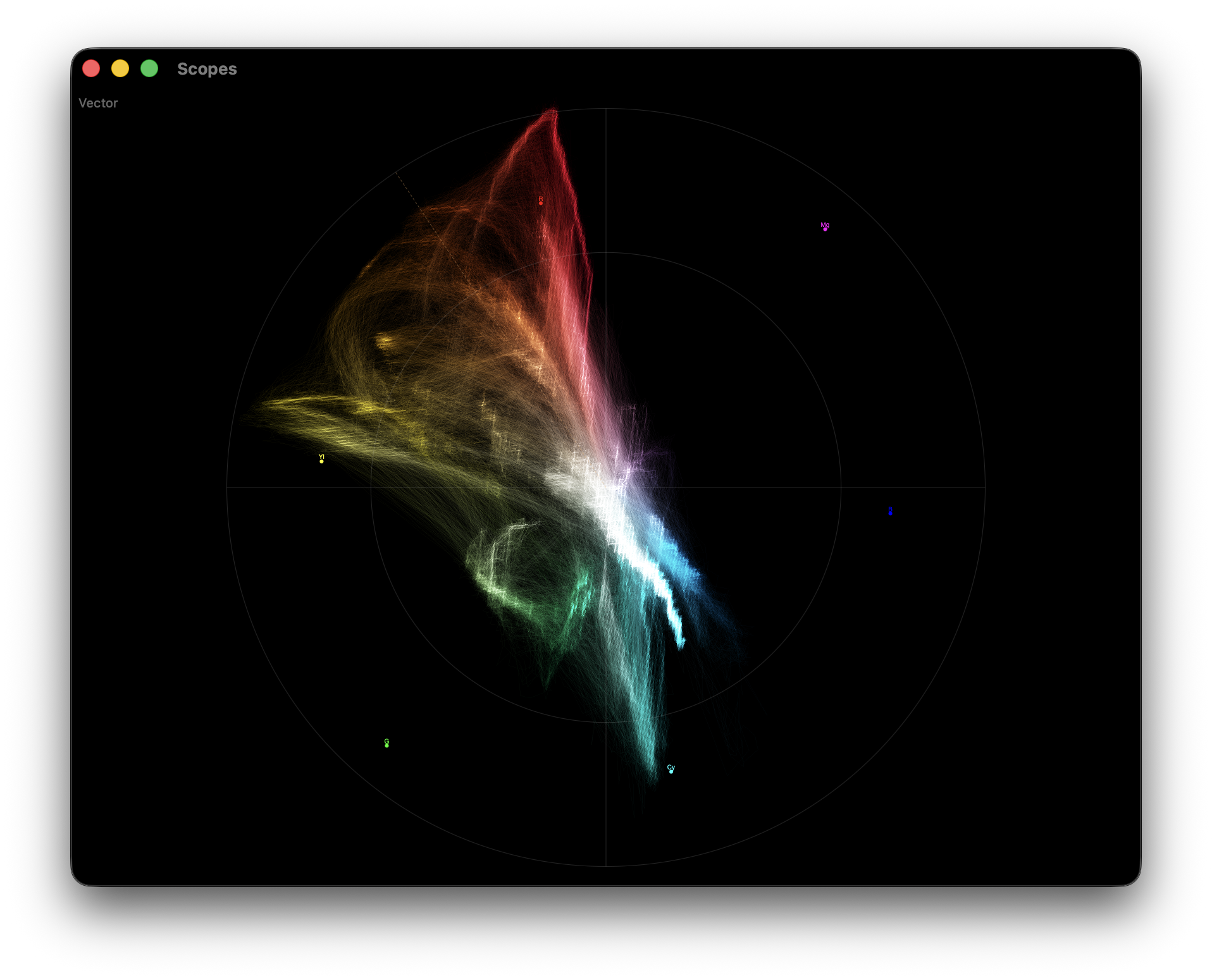
Each scope is a WebGL program with a hand written pair of shaders. The vectorscope is my favourite. Four lines of math that are older than I am:
float Cb = -0.1146 * c.r - 0.3854 * c.g + 0.5    * c.b;
float Cr =  0.5    * c.r - 0.4542 * c.g - 0.0458 * c.b;
gl_Position = vec4(Cb * 2.0 * u_aspect.x, Cr * 2.0 * u_aspect.y, 0.0, 1.0);
That is Rec.709 YCbCr, projected straight onto the canvas. The pixel keeps its own hue so the scope lights up in the color of the image instead of a uniform green. A broadcast engineer from the 70s would recognise it.
Waveform and parade draw as line strips between adjacent source pixels, which gives smooth traces instead of dotty clouds. Histogram is CPU side, 256 bin counts per channel rendered as triangle strips. Each scope has its own brightness multiplier, because line density per pixel is very different between them and I spent an embarrassing afternoon getting the ratios right.
HDR accumulation, with a polite fallback
On WebGL2 plus EXT_color_buffer_float, we render the scopes additively into an RGBA16F framebuffer, then tone map with 1 - exp(-gain * x) and a gamma curve. That gives you the soft, photographic traces you see in expensive scope hardware instead of clipped white mush.
On WebGL1, or on browsers without the float blend extension, we render additively straight to the canvas and live with a slightly harsher look. The detection is boring:
const ext = gl.getExtension("EXT_color_buffer_float");
if (!ext) { this._hdrPipeline = false; return; }
gl.getExtension("EXT_float_blend");
// also test framebuffer completeness before committing
This is the kind of thing that would normally require a separate pro app. In LiveView it is around 40 lines of capability detection and two extra shader programs. No npm dependency, no build step beyond what Phoenix already ships.
The unexpected bit: BroadcastChannel
One ask from colorists was a detached scopes window on a second monitor. Classic broadcast workflow. The lazy browser answer turned out to be BroadcastChannel:
this._scopeChannel = new BroadcastChannel("video-scopes-sync");
this._scopeChannel.onmessage = (e) => {
  if (e.data.type === "request-scope-pixels") {
    this._hasReceiver = true;
    this._broadcastScopePixels();
  }
};

// after reading pixels from the source canvas
const copy = new Uint8Array(this._lastPixels.pixels);
this._scopeChannel.postMessage(
  { type: "scope-pixels", width, height, buffer: copy.buffer },
  [copy.buffer]
);
Transferable ArrayBuffers move to the popup without a copy. The popup is just another LiveView route with the same VideoScopes hook, listening instead of reading. Same code, same shaders, two windows, one source of truth. I still think this was suspiciously easy.
What Elixir actually does
Almost nothing dramatic. It renders the LUT preview, keeps grading state, persists a few numbers:
def handle_event("save_scope_alpha", %{"alpha" => alpha}, socket) do
  {:noreply,
   socket
   |> assign(:scope_alpha, alpha)
   |> schedule_save()}
end
No video data goes over the socket. No hook gymnastics for the pixel bus. The LiveView coordinates and persists, which is what LiveView is good at. WebGL does the rendering, BroadcastChannel does the mirroring, and the server stays boring.
Takeaway
You can put serious, domain specific tooling directly into a Phoenix app. Scopes, meters, CAD viewers, waveform editors, anything GPU hungry. The hook system is not a consolation prize for “the part where we admit we need JS”. It is a real escape hatch, and the moment you stop treating it as a last resort, a lot of features stop needing a second service.
It was super cool learning expirience learning WebGL shaders.