šŸŽ™ļø

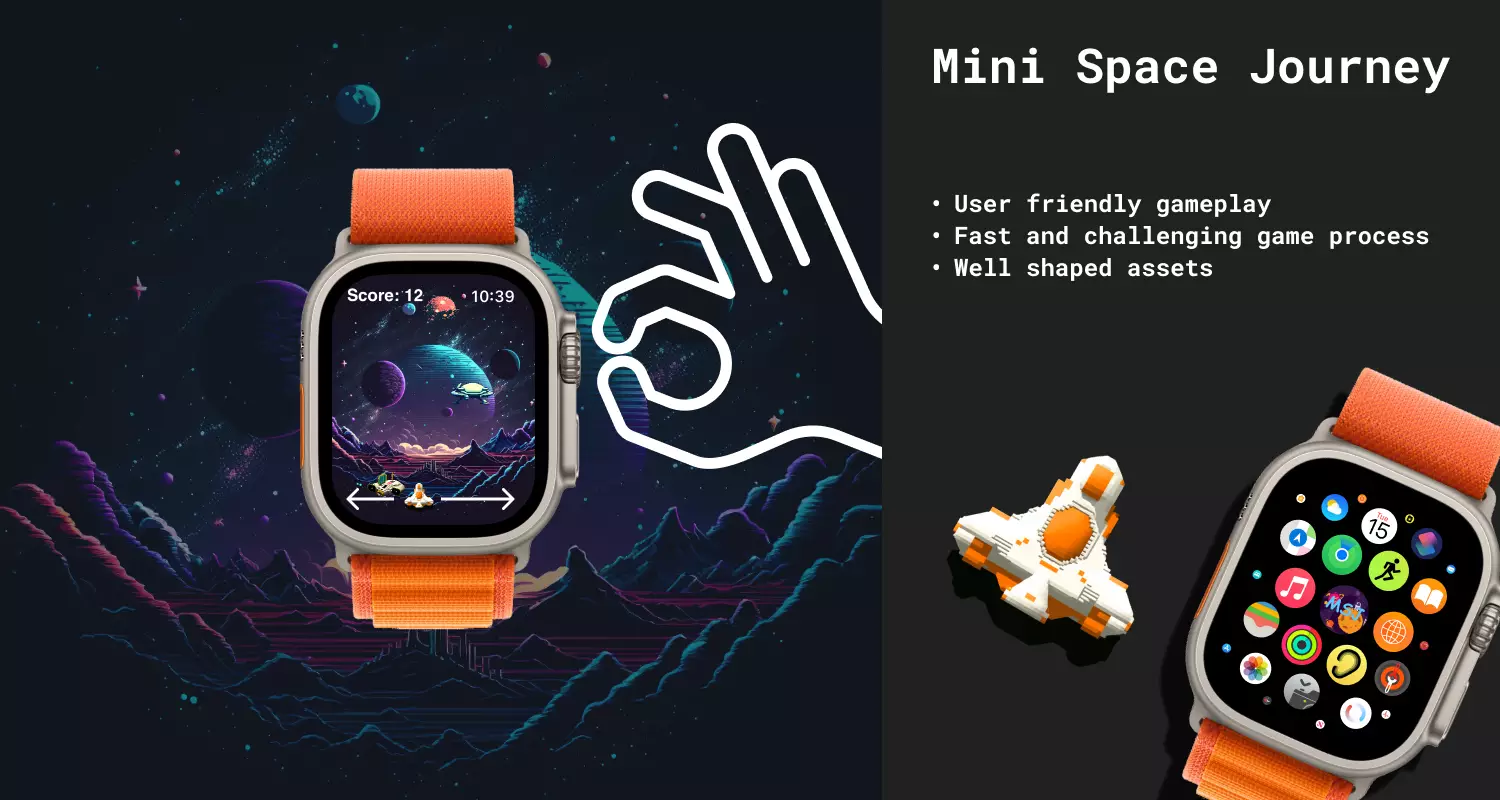
Mini Space Journey

Mini Space Journey

It’s finally released šŸŽ‰ Use for social media: #MiniSpaceJourney

Download on the App Store

“Mini Space Journey” is an innovative game for the Apple Watch that takes players on a thrilling adventure through outer space. Instead of using the watch’s accelerometer and gyroscope, the game utilizes the unique crown button on the side of the watch to navigate the player’s spacecraft. This makes for a unique and interactive gaming experience that is not found in other Apple Watch games.

Read more →

Steamdeck for Whom?

Steamdeck for Whom?

Look dear readers, I’m not even suppose to write such an articles, since I’m an inspiring manager and have to motivate people becoming better and so on. I not going to lie right, manager in IT department has nothing to do with people motivation or being a great example for productivity. I play games and fuck it, I like it.

I used to fly quite a lot and still do and I was constantly looking for on-the-go solutions. For a while I was happy with iPad, but all the games there mostly arcade with zero story. Then I invested in Asus Rog Flow Z13, i9 and 3050ti on-the-fly sounds good right? Yeah, 1h of play for extra 3kilos on my back. This is so niche product that I’m still trying to sell it for half price.

Read more →

iPad - Do You Need It?

iPad - Do You Need It?

I decided to share this thoughts, cause of purchasing new iPad pro. I was thinking for last few years, do I really need an iPad? I used to think that it’s completely useless device. If I have MacBook as main working machine and iPhone as secondary/helper. I’m going to talk about this device from programmer/manager perspective.

Zoom, right?

MacBook has the shittiest camera on the market, for some of my coworkers it doesn’t sound as disadvantage, because they simply don’t use camera for syncs and meetings. True for programmers who sit in the most dark corner of the room. But for me it’s important to clearly see the person to whom I’m talking to. Hope I’m not only one who has this preferences. iPad has brilliant front camera for that kind of use and you can plug and play it to your zoom or any other conference apps. While you on the meeting via your iPad you can use your main laptop without any losses and slow downs. I hate how zoom opens on MacBook, it crashes time to time, on other hand on iPad I didn’t have such an experience - one tap and you online. If you use g-calendar + zoom, jitsi or any other meeting tools you can jump to the sync with one single tap, by moving your calendar to “Today View”.

Read more →